# Cadastrando Moeda Estrangeira

<span style="color: rgb(0, 0, 0);"><span style="font-family: Arial; font-size: small;"><iframe allowfullscreen="allowfullscreen" height="314" src="https://www.youtube.com/embed/Dg41qkWdaVk" width="560"></iframe>

</span></span>

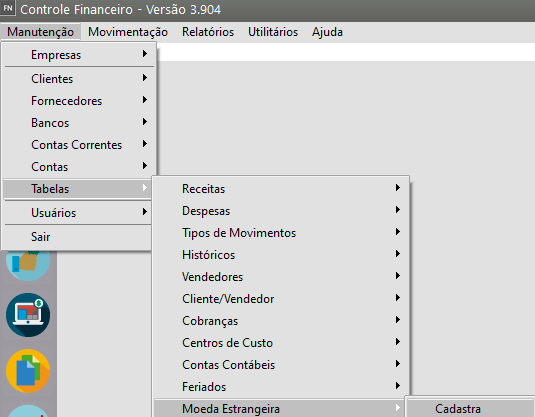
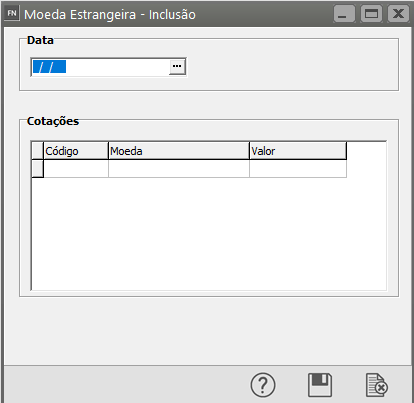
<span style="color: rgb(0, 0, 0);"><span style="font-family: Arial; font-size: small;">Se nos [Parâmetros Adicionais da Empresa,](https://autoatendimento.grupoallegus.com.br/books/fn/page/parametrizando-a-empresa) você informou que utilizará **conversão para moeda estrangeira nos relatórios**, você deverá cadastrar os **valores diários da moeda** acessando o menu **Manutenção/Tabelas/Moeda Estrangeira**.</span> </span>

[![image.png](https://autoatendimento.grupoallegus.com.br/uploads/images/gallery/2023-11/scaled-1680-/1Bfimage.png)](https://autoatendimento.grupoallegus.com.br/uploads/images/gallery/2023-11/1Bfimage.png)

[![image.png](https://autoatendimento.grupoallegus.com.br/uploads/images/gallery/2023-11/scaled-1680-/w9nimage.png)](https://autoatendimento.grupoallegus.com.br/uploads/images/gallery/2023-11/w9nimage.png)
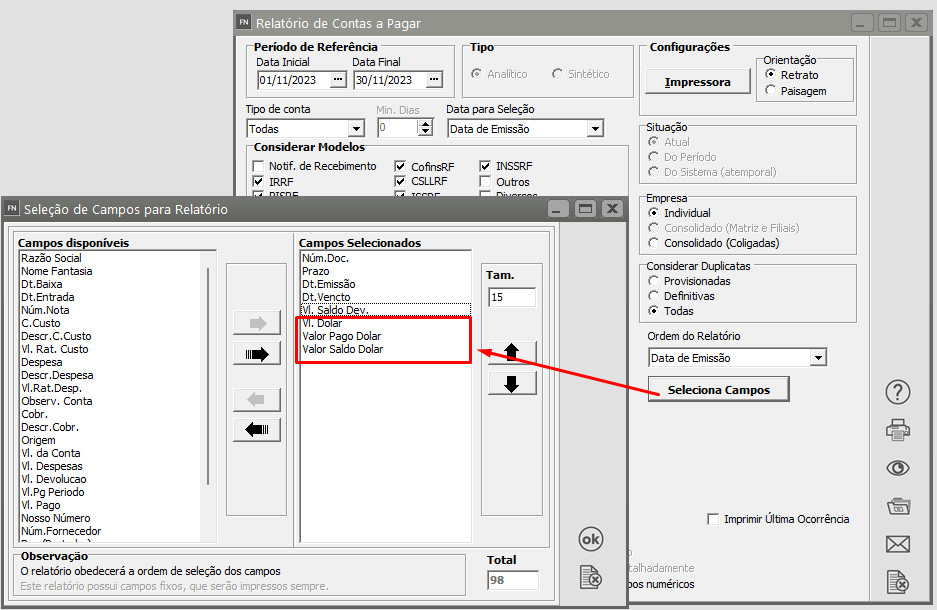
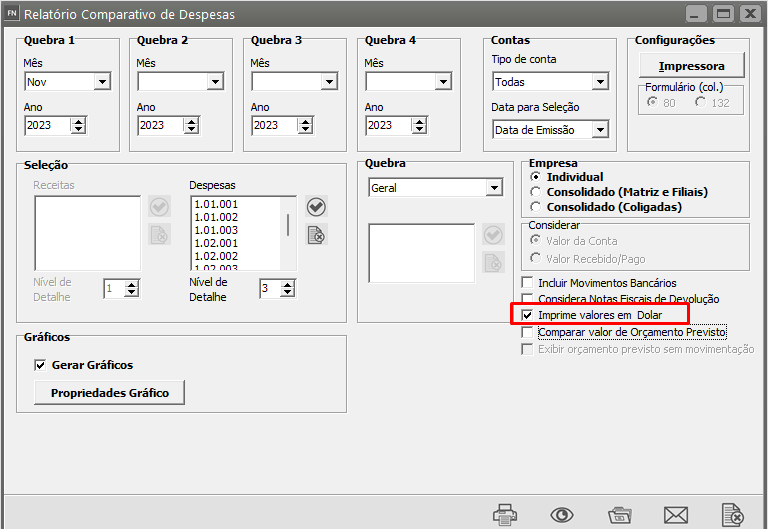
<span style="color: rgb(0, 0, 0); font-family: Arial; font-size: small;">Nos r<span style="text-decoration: underline;">**elatórios de Contas a Pagar e Comparativo de Despesas** </span>você terá a opção de imprimir os valores na **moeda estrangeira** parametrizada.</span>

**<span style="color: rgb(0, 0, 0); font-family: Arial; font-size: small;">Contas a Pagar</span>**

[![image.png](https://autoatendimento.grupoallegus.com.br/uploads/images/gallery/2023-11/scaled-1680-/3HFimage.png)](https://autoatendimento.grupoallegus.com.br/uploads/images/gallery/2023-11/3HFimage.png)

**Comparativo de Despesa**

[![image.png](https://autoatendimento.grupoallegus.com.br/uploads/images/gallery/2023-11/scaled-1680-/vCQimage.png)](https://autoatendimento.grupoallegus.com.br/uploads/images/gallery/2023-11/vCQimage.png)