# Emitindo Planilha Contábil
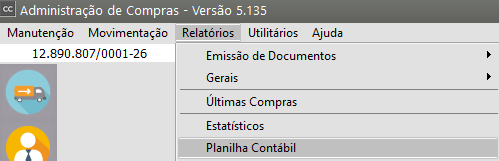
A planilha contábil pode ser impressa através do menu **Relatórios/****Planilha Contábil **.
[](https://autoatendimento.grupoallegus.com.br/uploads/images/gallery/2023-09/QzWimage.png)
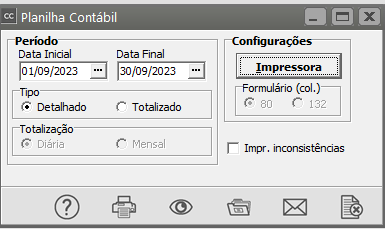
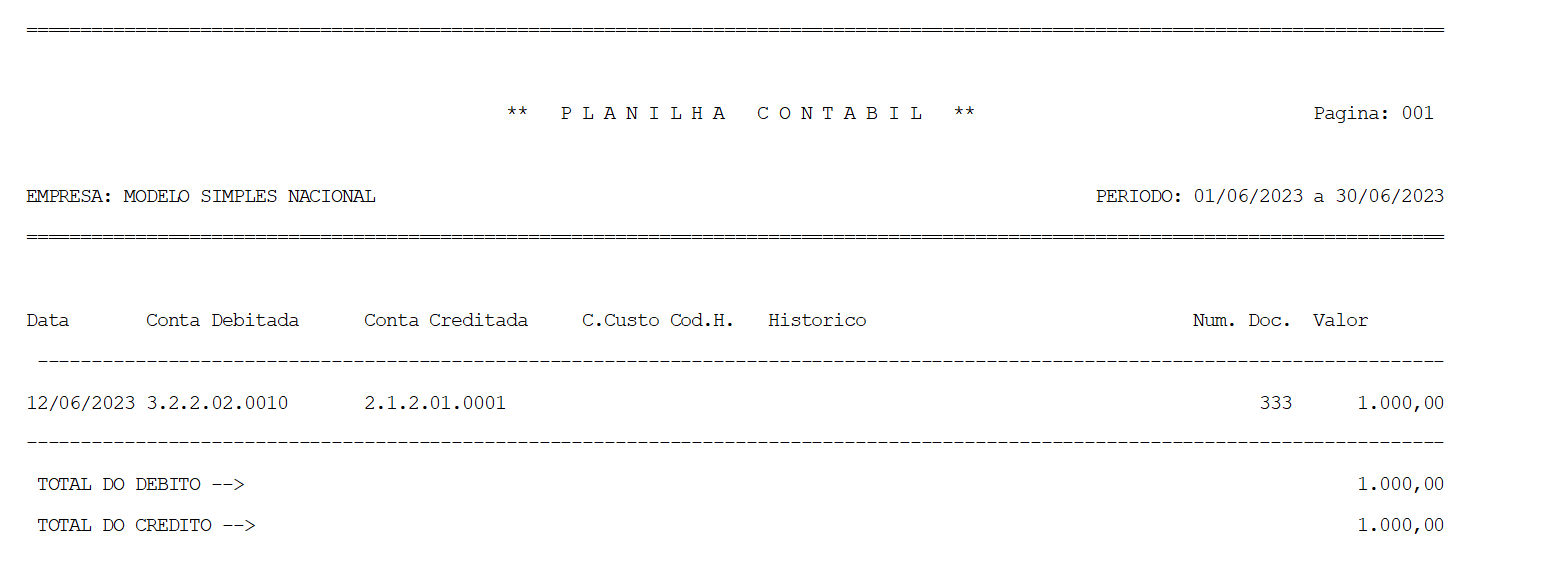
A planilha contábil permite a conferência dos dados que são [exportados para a contabilidade](https://autoatendimento.grupoallegus.com.br/books/cc/page/exportando-dados-para-a-contabilidade). A planilha contábil estará disponível mesmo que você não possua o Sistema de Contabilidade.Você poderá assinalar a opção **Impr. inconsistências** para que, no final da planilha, sejam mostradas as inconsistências encontradas, como, por exemplo, movimentos sem contas contábeis cadastradas.
[](https://autoatendimento.grupoallegus.com.br/uploads/images/gallery/2023-09/Xb5RXkimage.png)
[](https://autoatendimento.grupoallegus.com.br/uploads/images/gallery/2023-10/dy7image.png)
**Veja também os Itens:**
- [Emitindo Planilha Contábil](https://autoatendimento.grupoallegus.com.br/books/cc/page/emitindo-planilha-contabil)
- [Exportando dados para a Contabilidade](https://autoatendimento.grupoallegus.com.br/books/cc/page/exportando-dados-para-a-contabilidade)
- [Cadastrando Contas Contábeis de CFOP, Clientes e Fornecedores](https://autoatendimento.grupoallegus.com.br/books/cc/page/cadastrando-contas-contabeis-de-cfop-clientes-fornecedores-e-despesas)
- [Cadastro de Contas Contábeis das Despesas](https://autoatendimento.grupoallegus.com.br/books/cc/page/cadastro-de-contas-contabeis-das-despesas)
- [Cadastro das Contas Contábeis dos Fornecedores](https://autoatendimento.grupoallegus.com.br/books/cc/page/cadastro-das-contas-contabeis-dos-fornecedores)
- [Notificação de Recebimento com Retenção de Impostos - Exportação para o Sistema Financeiro e Contabilidade](https://autoatendimento.grupoallegus.com.br/books/cc/page/notificacao-de-recebimento-com-retencao-de-impostos-exportacao-para-o-sistema-financeiro-e-contabilidade)
- [Geração de Duplicata a Pagar no Sistema Financeiro referente aos Impostos Retidos na Notificação de Recebimento](https://autoatendimento.grupoallegus.com.br/books/cc/page/geracao-de-duplicatas-a-pagar-no-sistema-financeiro-referente-aos-impostos-retidos-na-notificacao-de-recebimento)